

ChatGPT vs The Rest: Which Alternative Fits?
Tax advisory teams comparing AI assistants usually need a clear shortlist, not another feature brochure. The practical question is which platform reduces preparation time, supports review controls, and fits commercial use policies without creating compliance risk. ChatGPT remains the default starting point for many firms, while Claude, Google Gemini, and Microsoft Copilot compete on document depth, workspace integration, and Microsoft 365 alignment. The sections below map when ChatGPT for tax advisory work is the stronger buy—and when a rival produces a cleaner cost-benefit outcome.
Why Users Look for ChatGPT Alternatives?
Firms evaluate AI options because drafting memos, summarizing client packets, and outlining research consume billable hours that do not always scale with headcount. ChatGPT for tax advisory work is often used to accelerate first drafts, standardize checklists, and organize messy source material before a CPA signs off. The business case is productivity and consistency, not unsupervised filing advice.
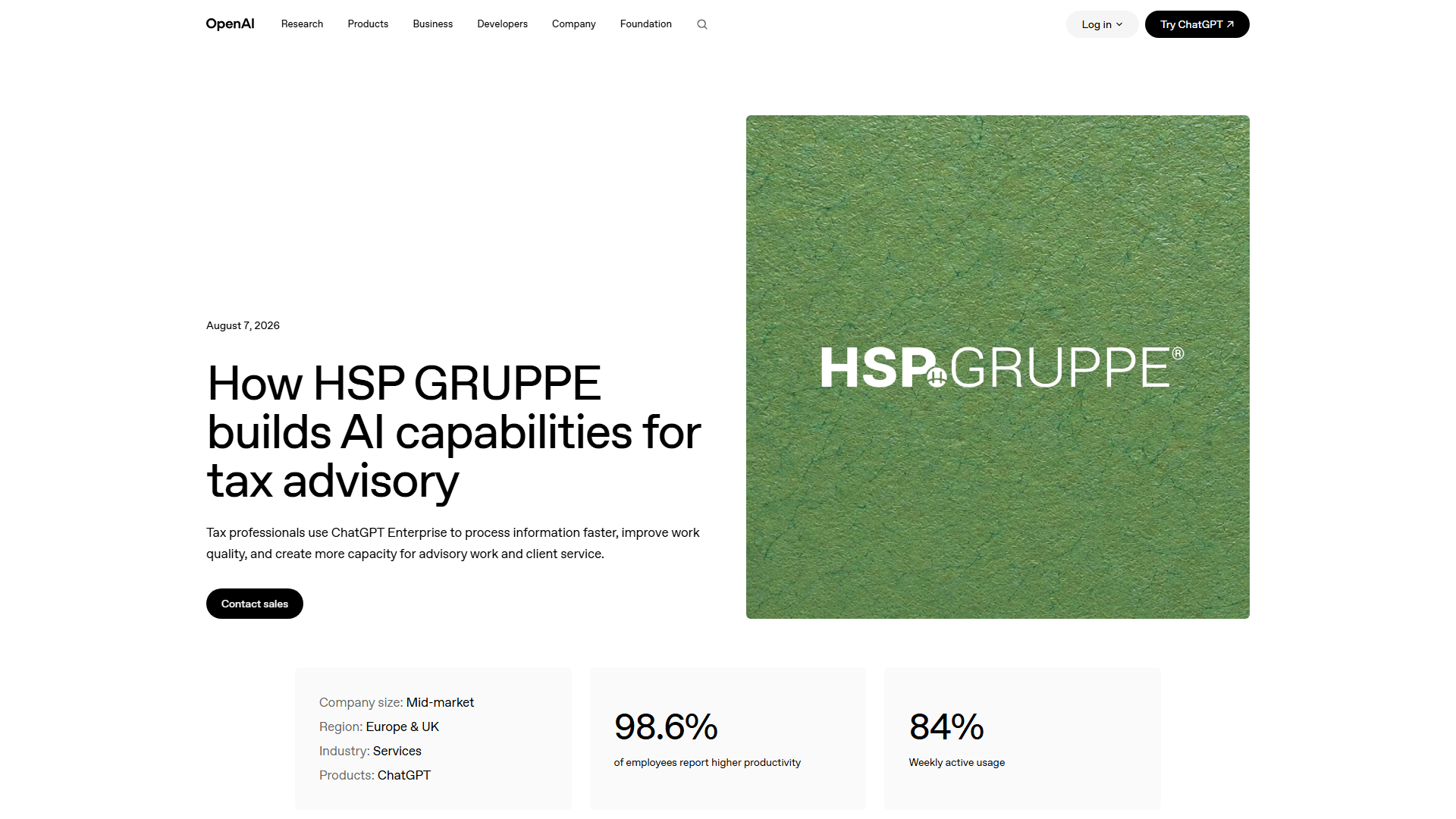
Published examples from OpenAI’s industry coverage, including how HSP GRUPPE builds AI capabilities for tax advisory, show professional services groups treating generative AI as an operating capability rather than a novelty chat window. Enterprise users often report that value appears when prompts, review gates, and data handling rules are defined before rollout. Without those controls, time saved on drafting can be lost in rework and quality review.
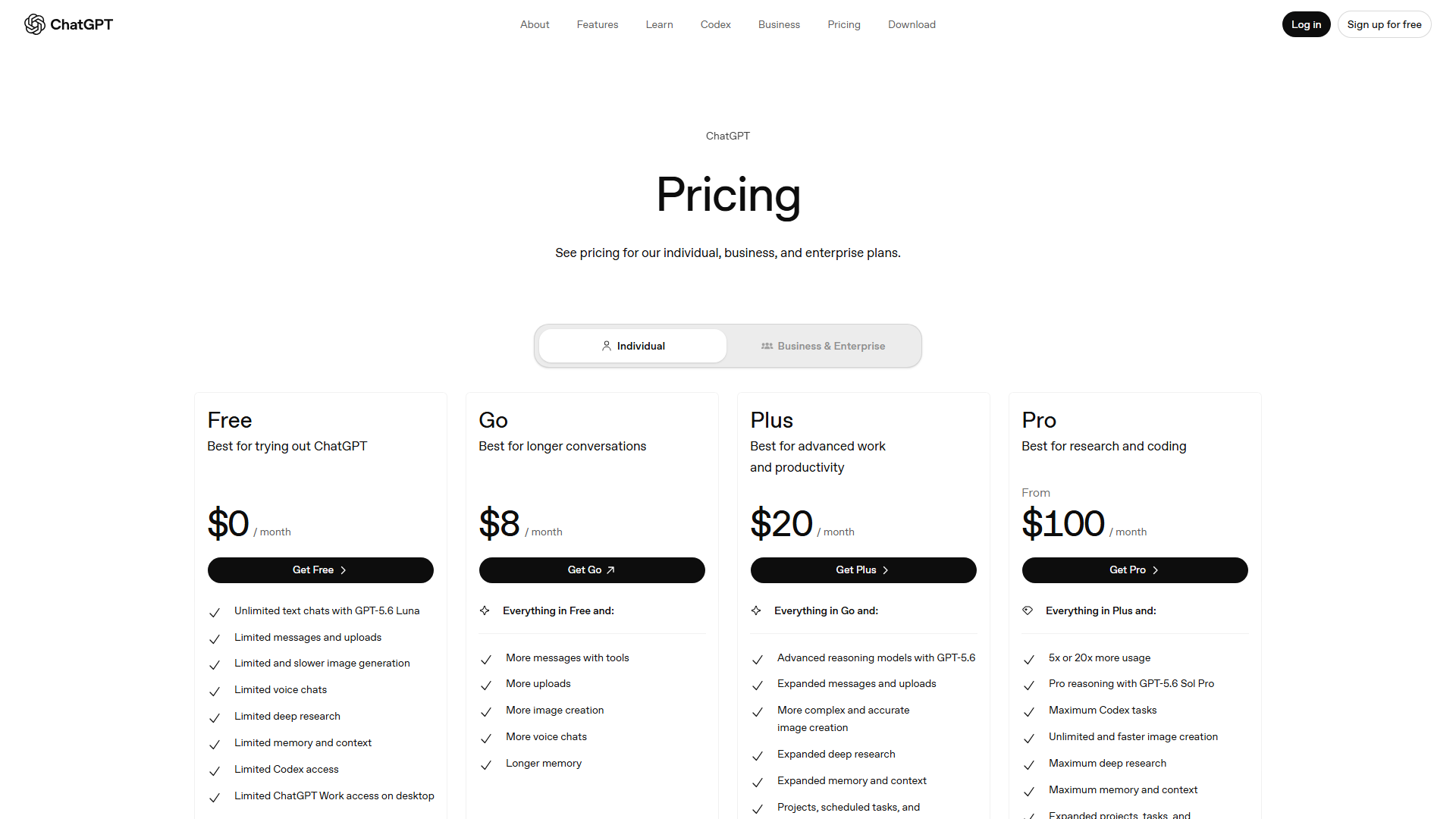
Cost pressure also drives shopping. Partners want a transparent view of monthly software spend against hours recovered in research and client communication. Current plan names and list prices change, so budgeting should start from the official ChatGPT pricing page rather than outdated screenshots or memory of a single Pro tier. From a business perspective, the right comparison is total cost of ownership: seats, admin overhead, training time, and escalation risk when a model invents a citation.
Commercial policy is another trigger. Teams asking whether ChatGPT is good for commercial use in tax firms are really asking about client confidentiality, retention settings, and whether staff may paste returns, K-1s, or engagement letters into a consumer chat. Product and account choices differ across free, Plus-style individual plans, and business or enterprise seats; confirm which tier matches firm policy on the vendor site and in your engagement letters.
Common mistakes include treating model output as filing authority, skipping source verification, and rolling out tools without a named reviewer. Those traps create the same failure mode as weak research notes: confident language with weak evidence. Looking at market positioning, rivals win when a firm already lives in Microsoft 365 or Google Workspace and wants AI inside the apps staff already open all day.
Audience fit splits cleanly. Tax advisory firms adopting AI workflows often need admin controls and shared templates. CPAs serving small businesses often need simpler prompts, clear escalation rules, and a path for chatgpt business for beginners that does not assume a large IT team. Both groups still need a human final review before any advice reaches a client.
[IS_CHATGPT_WORTH_IT_FOR_TAX_ADVISORY?]
It is worth piloting when the firm can measure draft-time reduction on repeatable tasks and keep a licensed professional accountable for conclusions. It is a weak fit when staff would use it as a substitute for primary sources, professional judgment, or document retention policy. Worth is an ROI question: paid seats plus training should be offset by fewer hours on first-pass writing and packet summarization, with quality metrics reviewed monthly.
[WHAT_CHATGPT_IS_USED_FOR_IN_TAX_ADVISORY]
Typical uses include outlining research memos, turning meeting notes into action lists, drafting client education explainers in plain language, and building internal checklists for seasonal workflows. It can also help staff learn how to use ChatGPT more effectively through prompt libraries owned by the firm. It should not be used as the sole authority for positions, elections, or filing decisions.
Alternative 1: Claude – Best for Long-Document Tax Analysis
Claude is a frequent shortlist peer when tax teams work with long PDFs, multi-entity narratives, and dense correspondence that must stay coherent across many pages. Strategically speaking, firms pick Claude when the bottleneck is careful reading and structured extraction rather than quick brainstorming. That profile matters for advisory groups that spend hours turning source packs into issue lists before any modeling begins.
Relative to ChatGPT, Claude’s positioning in professional workflows often emphasizes careful reasoning and long-context document work. That does not remove the need for citation checks against statutes, regulations, and primary guidance. Any dollar impact on realization rates should be tracked inside the firm’s time system; do not treat vendor marketing as a substitute for your utilization data.
Implementation is straightforward for small teams: define approved use cases, ban pasting of full SSNs or unnecessary personal data, and require a reviewer checklist before client delivery. Staff who already understand how to use ChatGPT will transfer most habits quickly, though prompt style and attachment limits still need a short internal guide. Training should include failure examples where a model invents a case name or misstates a threshold.
Limitation: Claude is not automatically the better commercial wrapper for every firm. If partners want a single vendor relationship centered on OpenAI’s ecosystem, or if staff already standardize on ChatGPT templates and shared GPTs, switching costs can erase document-analysis gains. Evaluate seat admin, SSO needs, and export controls before declaring a winner.
For chatgpt for commercial use debates inside a partnership meeting, Claude should be scored on the same grid as ChatGPT: data handling, auditability of prompts, and whether outputs feed into workpapers with clear provenance. Equal scoring criteria prevent shiny-tool bias. Publish the scorecard so managers can defend the purchase to risk and finance.
Best-fit signal: choose Claude when long-document synthesis is the primary pain and the firm can keep Microsoft or Google productivity AI as a separate, narrower layer—or skip those layers entirely. If the firm’s priority is workspace-native drafting inside Word and Outlook, keep reading; Copilot may dominate that scenario.
Alternative 2: Google Gemini – Best for Google Workspace Tax Practices
Google Gemini is the practical alternative when advisors live in Gmail, Docs, and Drive and want AI adjacent to those files. Many boutique practices and chatgpt for small business operators already store client working papers in Drive; reducing tab-switching can matter more than marginal differences in chat quality. The ROI story is integration density, not abstract model prestige.
Gemini competes directly in the chatgpt vs gemini vs claude conversation that partners raise in planning meetings. For tax advisory, Workspace-centric firms should test drafting inside Docs, summarizing threads, and producing first-pass client emails with mandatory human edit. Measure cycle time on those tasks for two busy weeks before locking annual spend.
Pricing and plan bundles for Google’s AI features vary by Workspace edition and add-on structure. Treat any remembered list price as unverified and confirm current commercial terms in Google’s official materials before forecasting contribution margin. Pair that check with OpenAI’s tiers on the ChatGPT pricing page so finance sees an apples-to-apples seat comparison.
Limitation: Gemini’s fit weakens when the firm’s stack is Microsoft-heavy or when leadership already standardized training, prompt libraries, and retention settings around ChatGPT. Migration without a change-management plan creates dual-tool confusion and weak audit trails. One platform with strong review discipline beats three platforms with none.
Gemini can still serve as a free or lower-friction entry point for staff exploring AI, similar to how beginners test chatgpt for small business accounts before buying firm-wide seats. Early experiments should use sanitized scenarios. Move real client content only after policy approval.
Best-fit signal: pick Gemini when Google Workspace is the system of record for collaboration and the firm wants AI inside that lane. Keep ChatGPT in the mix only if a specialized chat workflow still outperforms Workspace AI on research outlining after a timed bake-off.
ChatGPT vs Claude, Gemini, and GitHub Copilot for tax advisory
For tax advisory work, ChatGPT is strongest for client memos, research synthesis, and checklist drafting, while Claude is often preferred for long statute-and-ruling reviews, Gemini fits teams already standardized on Google Workspace docs and Sheets, and GitHub Copilot is the better fit when the bottleneck is tax-software scripts or spreadsheet automation rather than narrative advice—so most firms shortlist at least two of Claude, GitHub Copilot, and Gemini beside ChatGPT based on whether the daily workload is writing, analysis, or code.
What do ChatGPT plans cost for tax advisory teams?
For most tax advisory pilots, teams start on ChatGPT Plus at $20 per user per month, then move shared research and review work onto ChatGPT Team at $25 per user per month when billed annually (or $30 per user per month billed monthly), according to OpenAI’s ChatGPT pricing page.
Firms that need admin controls and firm-wide rollout typically evaluate ChatGPT Enterprise after validating workflows on ChatGPT; OpenAI’s HSP Gruppe case study documents a tax and accounting organization deploying ChatGPT across advisory workstreams, and setup or policy questions can be checked in OpenAI Help Center.
Alternative 3: Microsoft Copilot – Best for Microsoft 365 Tax Firms
Microsoft Copilot is the default challenger for practices standardized on Outlook, Word, Excel, and Teams. Tax seasons already run on email threads, workbook models, and Word memos; AI that drafts inside those surfaces can reduce copy-paste risk compared with a standalone chat tab. That is a process design advantage, not a claim that Copilot replaces a CPA.
Looking at market positioning, Copilot sells continuity with existing Microsoft licensing and security administration. Firms with mature Entra ID controls often prefer that path for chatgpt for commercial use requirements because identity and DLP patterns already exist. The business question becomes whether Copilot quality on tax prose matches ChatGPT enough to justify consolidating vendors.
Pilot design should isolate three workflows: email triage, memo scaffolding, and spreadsheet explanation of variance notes. Assign a partner-level reviewer and track hours before and after. If results are ambiguous, keep ChatGPT for deep chat research and Copilot for in-document drafting rather than forcing a false single-tool purity.
Limitation: Copilot’s value collapses when Microsoft 365 adoption is shallow—staff who still work primarily in non-Microsoft editors will not feel the integration premium. Another limit is over-trust: fluent Excel narration can hide a wrong assumption in a cell reference. Require workpaper review equal to any junior associate’s output.
Support and policy questions will surface during rollout. Point administrators to vendor help centers early; for OpenAI-based deployments, the ChatGPT help center covers account and product support paths that IT can mirror in an internal runbook. Copilot deployments need the same clarity for Microsoft admin roles and data boundaries.
Best-fit signal: choose Copilot when Microsoft 365 is non-negotiable infrastructure and partners want AI embedded in daily apps. Choose ChatGPT when the firm values a dedicated research-and-drafting chat environment and is willing to govern paste-in risk with training and technical controls.
Comparison Summary: Which One Fits Your Needs?
Selection should follow workflow gravity, not brand familiarity. ChatGPT fits firms that want a strong general assistant for research framing, drafting, and internal enablement, with commercial seats chosen only after policy review. Claude fits long-document analysis. Gemini fits Google Workspace boutiques. Copilot fits Microsoft-centric practices.
Cost-benefit framing stays qualitative until finance pulls live quotes. Seat fees are only one line; add partner review time, prompt-library maintenance, and incident response if confidential data is mishandled. Re-check OpenAI tiers on the official pricing page whenever you refresh the annual technology budget.
Implementation sequence that reduces risk: (1) approve use cases and banned data classes, (2) pick one primary tool for a 30-day pilot, (3) require source links in every research draft, (4) measure hours on two recurring deliverables, (5) expand seats only after quality metrics hold. This is how to use ChatGPT for tax advisory workflows without turning the model into an unsupervised junior.
AI traps to avoid when tax work is involved include asking for “final answers” on open facts, accepting invented citations, uploading full returns into personal accounts, and letting interns send AI prose to clients without review. Fixes are procedural: sanitized examples in training, mandatory primary-source checks, business accounts with admin controls, and partner sign-off gates. Those controls matter as much as which logo appears in the browser tab.
For chatgpt for small business tax work, start narrower: organizer letters, educational explainers, and internal checklists—not position memos on contested issues. Beginners should learn prompt structure, document what the model was asked, and keep a human accountable. That discipline scales later into multi-seat deployments.
Decision rule: if your stack is Microsoft-heavy, shortlist Copilot first; if Drive and Docs dominate, shortlist Gemini; if long PDF synthesis is the pain, shortlist Claude; if you need a flexible chat workspace with broad ecosystem momentum and published professional-services playbooks such as the HSP GRUPPE tax advisory AI case, keep ChatGPT as the baseline and beat it only with measured evidence.
[QUICK_ROI_METRICS_TO_TRACK_IN_A_PILOT]
Track hours per memo draft, revision cycles before partner approval, and incidents of unsourced claims caught in review. Qualitative outcomes—cleaner first drafts, fewer blank-page delays—are valid when you refuse to invent percentage gains. Expand budget only when those operational metrics move in the right direction for two consecutive cycles.
Final Thoughts
ChatGPT for tax advisory remains a strong baseline when firms want a flexible assistant for drafting and research framing, backed by clear review gates and commercial account controls. Claude, Gemini, and Copilot earn the seat when document length, Google Workspace, or Microsoft 365 integration is the binding constraint.
Treat the choice as a capital allocation decision: verify live pricing, pilot one primary workflow, and expand only after quality and time metrics justify the spend. The winning stack is the one your reviewers can govern—not the one with the flashiest demo.